
How to run your first mobile app usability test
Give one person a realistic task, capture the exact moment they get stuck, and turn that observation into an edit you can test again.
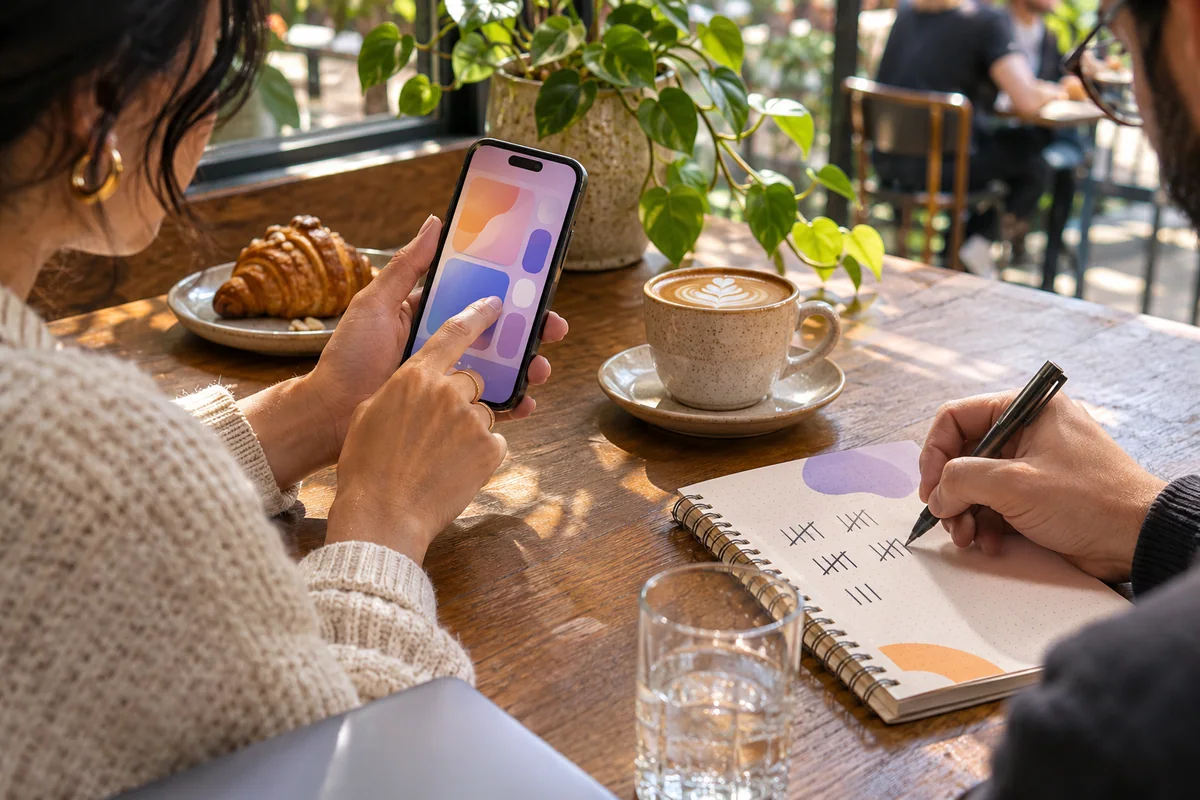
A good first session ends with one observed problem, one testable explanation and one small change you can put back in someone’s hands.
Your recipe app opens to a beautiful photo of tonight’s dinner. You know the photo opens the recipe because you built it. The person holding the phone tries swiping it, taps the heart, then tells you the app looks nice. Which of those things would change what you build tomorrow? The first two actions tell you a lot more than the compliment. A short first session can capture them if you leave room for the person to struggle a little.
Choose a task with an observable ending
Pick someone who has done the activity your app supports. For a recipe app, that can be someone who cooks from a phone at the kitchen counter. Give them a situation in their own terms: “You have twenty minutes before dinner. Find something you could cook and show me the first thing you would do in the kitchen.” Avoid naming your controls. “Press Start cooking” would test whether they can follow an instruction you supplied.
Write down what counts as finishing before the session. For this task, the person should reach the first instruction for a recipe that fits their time. They can reach it by any route. If they arrive at the right screen for a sixty-minute recipe, you learned something about how duration is displayed. If they can describe the right next step without using the button you expected, their route may be perfectly good.
Use these two Gather screens to rehearse the facilitator’s note-taking. The Kitchen screen describes the Golden harvest bowl as a 35-minute dish. The Recipe screen starts with “Roast something golden”. If you use this unmodified sample, give the participant forty minutes. A twenty-minute brief with only a 35-minute option has a different valid answer: “There’s nothing here that fits.” Choose the time deliberately, depending on whether you want to learn about navigation or about recognising a poor match.
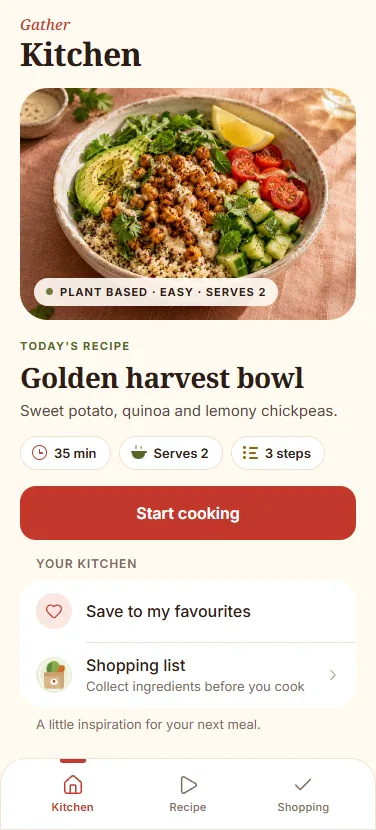
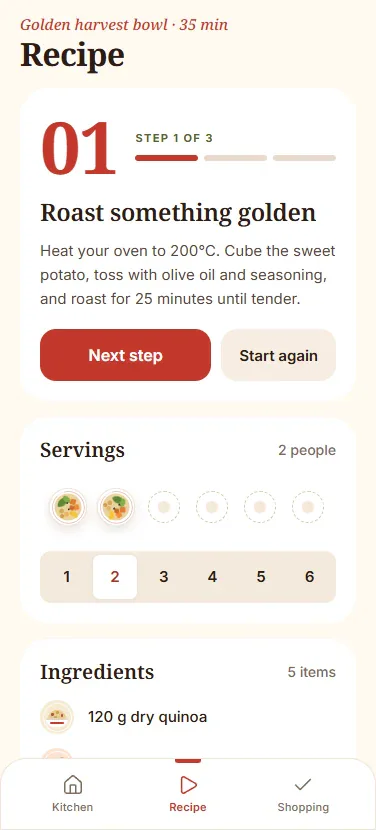
Before the session, fold your notes so the second screen is visible only to you. It gives you a consistent finishing point without hinting at which control to use. Record the first thing the participant actually proposes doing in the kitchen. Reading a dish title aloud and identifying the first cooking action are different outcomes.
Set up a fair starting point
Save the screens you intend to test. Open the browser preview yourself and follow the path once to catch a broken link or a missing test recipe. Then prepare the Appsanic phone preview and put the app back at the starting screen. Let the participant hold the phone. Watching someone else drive while you ask where they would tap changes the task considerably.
Use made-up names and sample ingredients. Tell the person what you plan to write down. A notebook is enough for a first session. If you want to record the screen or their voice, ask first and give them a genuine choice. Keep private notifications and unrelated apps out of the session. Make sure the person knows that stopping or declining a recording is fine.
Observe the first wrong turn
Read the task once. When the participant pauses, count a few slow breaths before speaking. “What are you looking for?” can reveal whether they expect a time filter, an ingredients list or a button on the photograph. “Did you see the little arrow?” supplies the answer and makes the rest of that observation hard to interpret. If the preview fails technically, record the interruption and restart the task from a known point.
Keep three columns in the notebook: what happened, what the person said, and what you think it means. An example entry is “Tapped heart twice”, “I thought that would pick this recipe”, and “May confuse saving with starting”. The first two entries are evidence. The last is a hypothesis. Another plausible explanation is that the whole card looked like static photography and the heart was the only recognisable control. A single person cannot establish which explanation applies to everyone.
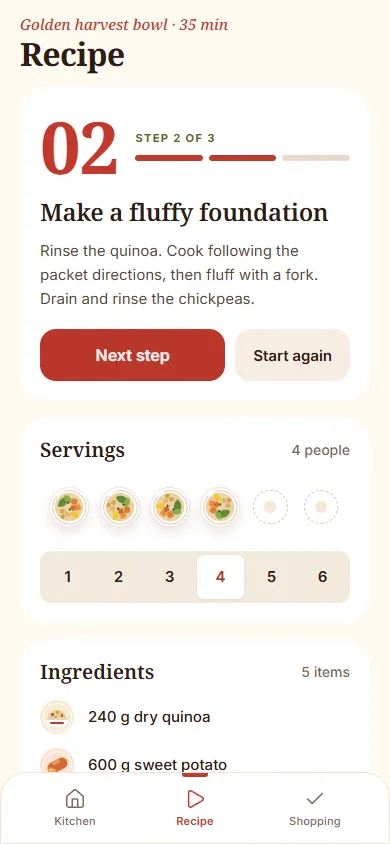
Keep one example of going too far. The screenshot below follows a tap on Next step and shows “Make a fluffy foundation”. If a participant reaches this screen while looking for the first instruction, record both the successful navigation and the extra tap. Ask them to show where they believe the recipe begins. Their answer separates a missed step indicator from a perfectly reasonable habit of reading ahead. In the next session, watch for the same moment before deciding whether the step number needs more emphasis.
Turn the observation into one edit
Pick the smallest change that can distinguish the explanations. Add a visible Start cooking action to the recipe card and connect it to the recipe screen. The pages and navigation guide covers how to connect screens in Appsanic. Leave the heart and the photograph in place for this round. Moving those as well would leave you guessing which change helped.
Write a short prediction: “A new participant will open the first instruction without touching the heart or asking what to do.” Now repeat with someone new who also cooks from a phone. Reusing the first participant can help reveal fresh issues, but they already know the path. Record whether the new person reached the ending, which route they took, and where they hesitated.
Keep the original note beside the updated screen. If the second person opens the recipe easily but still chooses a sixty-minute dish, the next question is about time information. That is a much better brief for your next edit than “make the dashboard easier to use”.
Use a second recipe to test whether your fix transfers
After adding Start cooking, keep the first recipe for the development check. For the participant, use a different sample recipe with the same navigation. Give the new dish a longer name and a familiar first instruction such as “rinse the lentils”. Ask the person to find something they can prepare tonight and tell you what they would do first. Someone who succeeds only on the original recipe may have learned its photograph or its position in the list.
Record two observations separately. Did the person reach the instruction screen without a hint? Could they say what the recipe asked them to do? If they get there easily but read a shopping item as the first step, the navigation change worked and the content hierarchy needs another pass. If they explain the instruction after you open the screen for them, the recipe text is understandable and the route into it remains the priority.
Keep the same task wording for the next participant and note any help you gave. This produces a small set of comparable observations without turning two people into a conversion statistic. If the wrong screen opens after the right tap, check the destination using the mobile navigation walkthrough.
Published