
Prototype a mobile tower defense game with Solstice Siege
Build a first playable tower battle around one decision. Use Solstice Siege to test card costs, bridge placement and match feedback on a real phone.
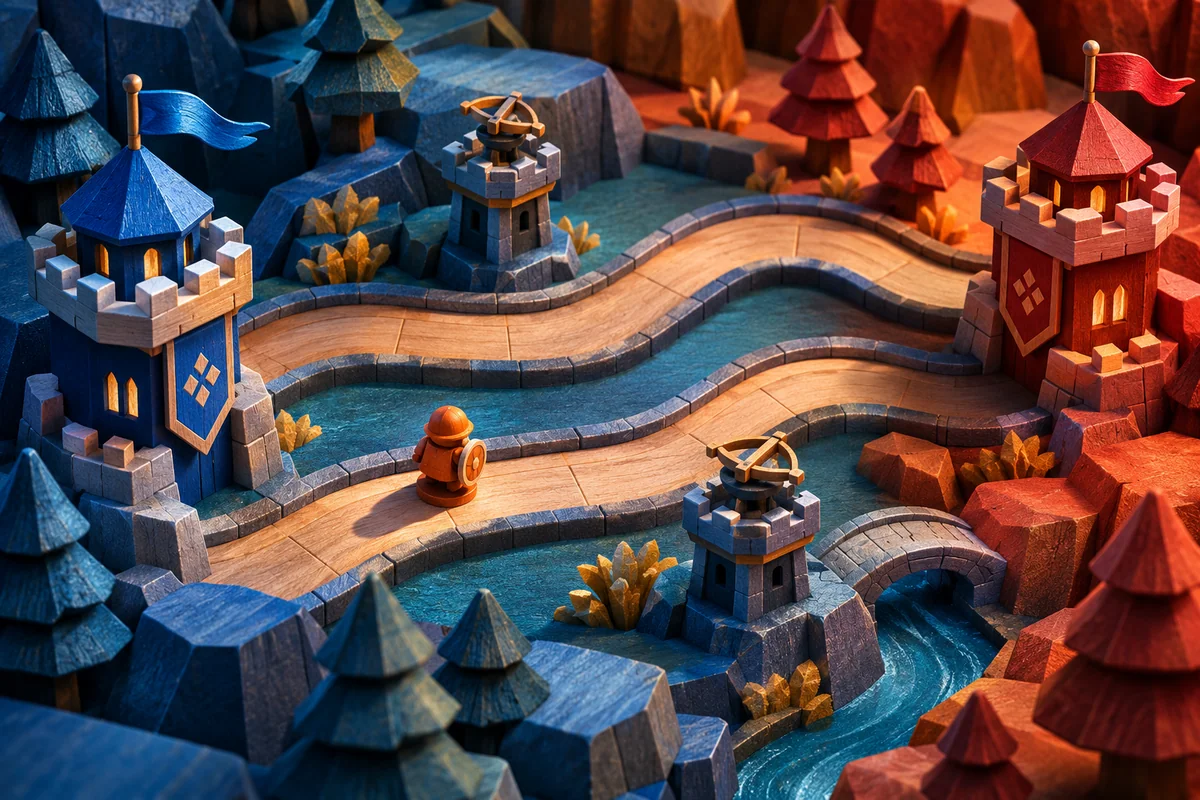
Make one match readable before tuning the whole deck. A tester should be able to explain their last deployment and what happened to their keep.
Lay two wooden towers on a table with a bridge between them. Give the attacker three tokens and two cards: a cheap unit they can play now and a stronger unit they must wait to afford. Ask them what they would do if a rival unit approached the bridge. Their answer is the first design decision in a mobile tower battle. You can test it long before you design a collection screen or a season of rewards.
Solstice Siege gives you a working reference. It is a two-minute card battler against a computer opponent, with two keeps, bridge deployment and an eight-card deck. Players spend aether, and the Sun, Moon and Eclipse phases change the context of a play. Start by running the supplied game once, then choose one decision you want a newcomer to understand more clearly.
Define what a new player should notice
Write a single observation you can verify. For example: “By their second deployment, a new player can tell whether they can afford the selected card.” That gives you three things to inspect: the current aether, the cost on the card, and the response when a player taps something they cannot afford.
Play the training option. Watch the hand while the arena is active, then watch the arena while trying to choose a card. A number that looks large in an isolated design can disappear when a moving unit crosses a bridge. Sketch where your eye travels between cost, hand and deployment point. This shows whether a confusing first play comes from the rules, the controls or the motion competing for attention.
Use the pre-match screen for the briefing. In Solstice Siege, Training and Duel appear beside the eight-card deck. Start with Training so the first learner has enough time to look at a card, the river and the resource meter before the computer rival puts pressure on a tower. Ask the learner to point to the card they expect to play first. Write down the name they give it, even if they identify it by its picture instead of the word under it.
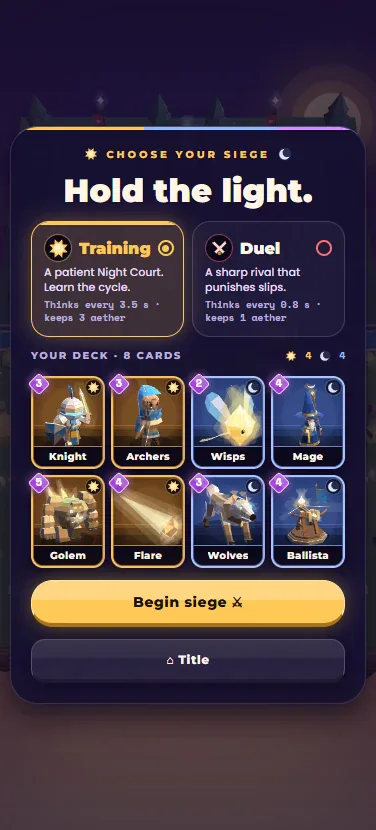
If a player counts all eight deck cards and assumes they can play any of them immediately, let the opening hand settle before you explain the difference. Watch which surprised them more, the change in available cards or the cost of the first choice. Those two observations suggest different revisions to the briefing. A clear opening screen gives the player one rule to carry into the arena. The codex can hold the full set of rules for the next match.
Change one explanation before changing game balance
Try this prompt in a copy of the game: “Keep the existing match rules, card costs and opponent. Make the selected card and its current cost easy to identify. When a player attempts an unaffordable card, explain how much more aether they need.” After applying the change, verify it at two values, one just below the cost and one exactly equal to it. The game should convey both cases without asking the player to guess from colour alone.
Use the existing guide and codex as reference material. If you change a card’s cost in a later experiment, check the guide, the hand, the selection feedback and the amount actually spent. A mismatch between the written cost and the amount deducted can look like a balance problem during play. It is easier to diagnose by checking those four places with a known starting resource value.
Separate a short prototype from a larger game feature
An attractive first match does not require accounts, matchmaking or a persistent collection. Solstice Siege’s supplied opponent lets a tester start a match without arranging another player. If the long-term design involves live opponents, keep that as a separate engineering decision with its own networking, reconnection and fairness tests. A working battle on a single phone establishes only what happened in that match.
You can use the visual editor for the surrounding screens and ask Sanic AI for changes to the game itself. Game logic may live in a specialised component. The custom components guide explains how app code and editable properties fit together. Before moving art, ask whether the proposed change is a new rule, a different presentation of an existing rule, or a navigation action into the match. That decision helps you find the right editing surface.
Run three first matches on a phone
- Ask one player to start training, deploy once and explain the outcome. Do not teach the deck first. Record the words they use for the action.
- Ask a second player to watch their keep, then attempt a card they cannot afford. Note whether they understand why nothing deployed and what they can still do.
- Ask a third player to finish a match and start another. Check the clock, the crowns, both keeps and the first hand after the restart.
Use the device preview guide to repeat the exercise under a thumb on a real screen. If players choose correctly but tap the neighbouring card, investigate spacing. If they tap accurately and cannot predict what a unit will do, change the explanation or the unit feedback. Save numerical balancing for the point where players can already read what the game is telling them.
Check whether the first card teaches its own rules
Solstice Siege gives you a repeatable opening experiment. The first hand includes Sunblade Knight. The player starts with five aether and the Knight costs three. On a fresh training match, select the Knight and try placing it deep on the enemy side while their towers are intact. Watch the hand, the arena and the resource meter together. An invalid placement should leave the card available and produce no Knight there. The meter can continue regenerating while you watch.
Now deploy that same Knight on a legal tile on your side. The outcome should be visibly different. A Knight appears, a card cycles into the hand and the game charges three aether. If the tap happens immediately at the opening five, you can see the meter fall towards two before regeneration fills it again. Pausing over the board changes the starting balance, so make the comparison at the moment of deployment.
Hand the phone to someone new and let them repeat that pair of attempts. Ask where they think they can play next. If they can explain the cost but keep tapping across the river, improve the placement cue before changing the cost. The guide to running a first usability test shows how to ask this question without pointing out the answer.
The following frames came from one uninterrupted Training match in the Appsanic preview. The first shows Sunblade Knight ready, a highlighted Knight and five aether. The left-bridge control provides a repeatable legal target. The second frame shows Sunblade Knight deployed, one ally advancing near the bridge and two aether. The three-point change matches the cost printed on the card.
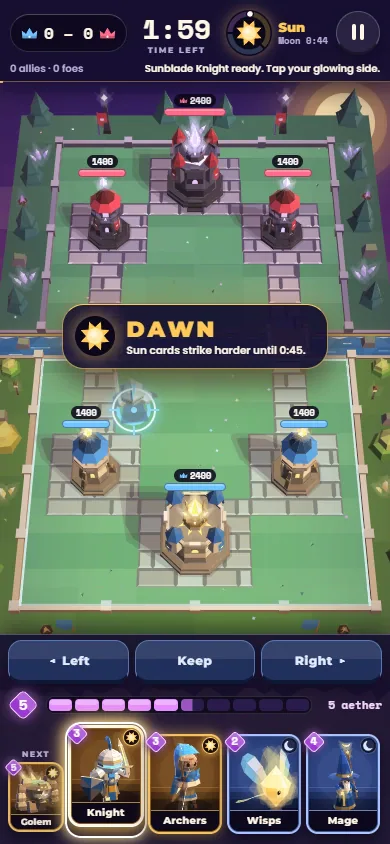
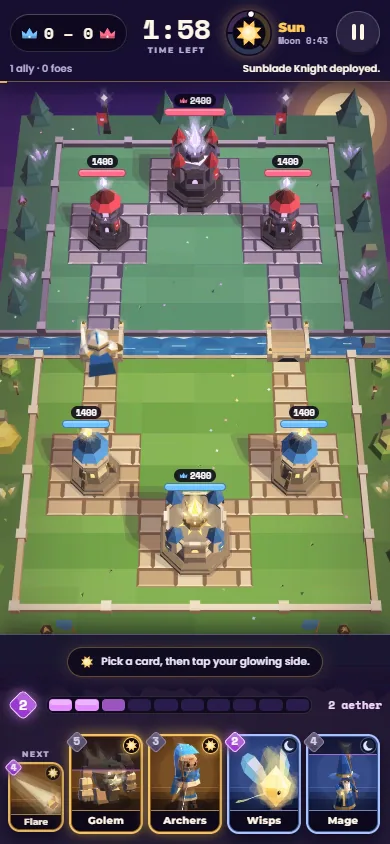
Read the two frames with a first-time tester. Ask them to point to one thing on the board and one thing in the hand that changed after deployment. A player who notices the moving Knight and misses the replacement card may be staring at the arena until it is too late to plan a second play. Try a clearer card-entry animation in a copy, replay the same opening and ask the same question. Keep the opening cost, opponent and target fixed. Otherwise an easier second match can hide whether the animation actually helped.